Documents are rarely difficult to store.
The difficult part is everything that happens afterward.
Which folder should this document go into? Is it an incoming letter, an invoice, a contract, or an internal memo? What was the document number? Who sent it? When was it issued? And six months later, when someone needs the document again, where exactly was it stored?
As the number of documents grows, a folder structure alone is often no longer enough.
That is the problem I wanted to explore with Arsipin.
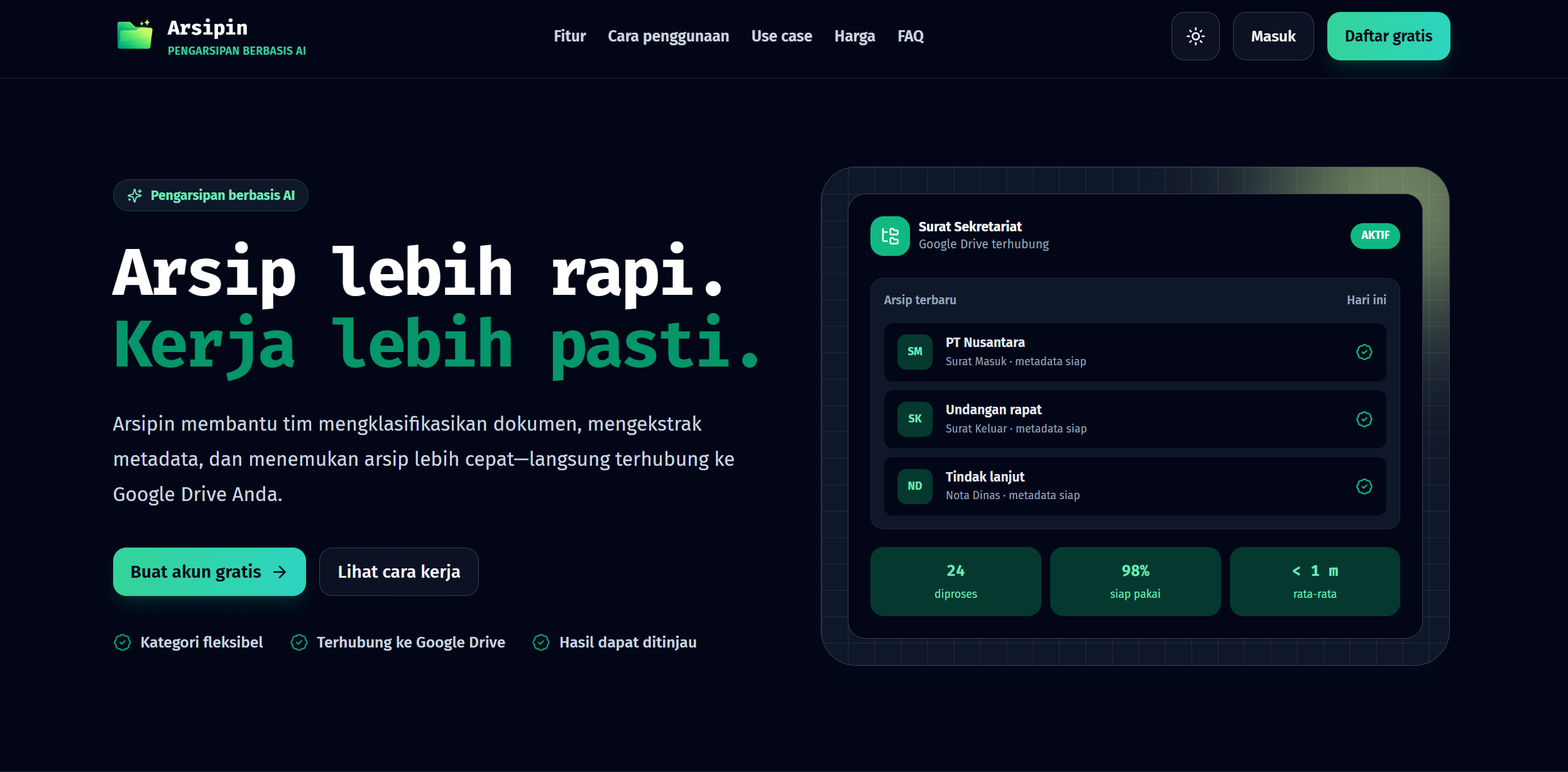
Arsipin is an AI-powered document archiving SaaS that automatically classifies documents, extracts important metadata, organizes files into Google Drive, and makes those documents easier to find later.
You can try Arsipin at:
Documentation is available at:
https://docs-arsipin.fkr.web.id
The Problem Is Not Storing Documents
Most organizations already have somewhere to store files.
They may use Google Drive, shared folders, local storage, or another document management system.
The problem usually starts with organization.
Imagine an administrative team handling hundreds or thousands of documents:
Incoming letters
Outgoing letters
Invitations
Internal memos
Decrees
Contracts
Invoices
Receipts
Purchase orders
Other operational documents
Every document needs to be identified, placed into the correct category, and often recorded manually into a spreadsheet or another administrative system.
Arsipin is designed around a simple workflow:
Upload document → AI understands it → document is organized → find it later.
The AI determines a document's category based on workspace rules and extracts configured metadata such as document numbers, dates, senders, invoice values, payment status, or other information relevant to the organization.
I Did Not Want to Build Another Cloud Storage Service
One of the main design decisions behind Arsipin is that the user's documents remain in their own Google Drive.
Arsipin is not intended to become another place where organizations have to migrate all of their files.
Instead, users connect their Google account and choose a Google Drive folder for a workspace. When processing succeeds, Arsipin stores the document in the appropriate folder in that Drive and keeps the supporting metadata required to search and manage the archive from the application.
The flow is essentially:
Document
   ↓
Arsipin
   ↓
AI Classification
   ↓
Metadata Extraction
   ↓
Google Drive
Once a successfully processed file has been transferred to Google Drive, its temporary copy is removed from Arsipin's temporary storage.
I like this model because the AI layer and the storage layer have different responsibilities.
Google Drive owns the file storage.
Arsipin adds intelligence and organization on top of it.
If a user disconnects Google Drive, files already stored there remain there. Arsipin simply cannot process new documents until the integration is connected again.
Workspaces Make the AI Configurable
A generic document classifier would not be useful enough.
Different organizations classify documents differently.
A government office might need:
Incoming Letter
Outgoing Letter
Official Invitation
Internal Memo
Decree
A finance department might instead need:
Invoice
Receipt
Purchase Order
Payment Evidence
Tax Document
This is why Arsipin uses the concept of a workspace.
A workspace combines a storage location, document categories, metadata definitions, AI configuration, and processing rules for a particular group of documents.
Users define their own categories and can describe the characteristics that distinguish one category from another.
For example:
Category: Incoming Letter

Characteristics:
A document received from an external organization,
usually containing a letter number, issue date,
sender, subject, and recipient.
Instead of hard-coding every possible document type into the application, Arsipin allows the classification structure to follow the organization.
Metadata Is More Important Than the Filename
A document can be perfectly organized into a folder and still be difficult to find.
Consider a filename like:
SCAN_20260808_143221.pdf
It tells us almost nothing.
But the document itself might contain:
Document Number: 123/ABC/VIII/2026
Date: 8 August 2026
Sender: PT Nusantara
Subject: Meeting Invitation
Category: Incoming Letter
That information is significantly more valuable when searching an archive.
Arsipin therefore allows every workspace to define the metadata the AI should extract.
Supported metadata types include text, long text, numbers, dates, boolean values, and predefined choices. Metadata fields can also be configured as required, editable, filterable, or limited to particular categories.
Once extracted, metadata becomes part of how the archive can be searched and filtered.
Users can search by filename or metadata and narrow the results using workspace, category, processing status, file type, upload date, and filterable metadata fields. Numeric and date metadata can also be filtered using exact values or ranges.
At that point, the archive becomes more than a collection of folders.
It becomes structured information.
AI Should Assist, Not Make Unquestionable Decisions
One principle I wanted Arsipin to follow is:
AI should reduce repetitive work, not remove human control.
AI classification is probabilistic.
Even a strong model will occasionally encounter ambiguous documents, unusual layouts, incomplete information, or categories that are too similar.
Arsipin therefore includes a configurable confidence threshold.
The default threshold is 85%. Increasing it makes the system more conservative and causes more documents to require review, while reducing it allows more documents to complete automatically at the cost of greater classification risk.
A document may be marked as Needs Review when the AI confidence is below the workspace threshold, no category can be determined, or required metadata cannot be extracted.
Users can then inspect information including:
Selected category
Extracted metadata
AI confidence
Classification reasoning
Processing cost
Token usage
Google Drive storage status
The category and editable metadata can then be corrected manually when necessary.
This creates a workflow closer to:
AI does the repetitive work
        ↓
Human reviews exceptions
        ↓
Final structured archive
rather than:
AI made a decision
        ↓
Just trust it
From Documents to Data
Another useful consequence of structured metadata is that archived documents can become usable operational data.
Arsipin can export filtered archive results into XLSX, including workspace metadata fields.
For example, imagine an invoice workspace containing:
Vendor
Invoice Number
Invoice Date
Amount
Payment Status
AI extracts that information from each invoice.
Later, the finance team can filter the archive and export the resulting dataset for reporting or additional analysis.
The original PDF still exists in Google Drive.
But now the information inside those PDFs can also participate in an actual data workflow.
Existing Systems Should Be Able to Send Documents Too
Not every document should have to be uploaded manually through the Arsipin dashboard.
Organizations may already have websites, scanners, internal administrative systems, or other applications producing documents.
For that reason, a workspace can expose a controlled public upload mechanism.
A public link can allow people without an Arsipin account to submit documents to a workspace. Workspace owners can decide whether visitors may only upload documents or may also view existing archive information. Access can also be protected with a workspace password.
For system-to-system integration, Arsipin also provides a public upload API.
For example:
curl -X POST \
  "https://api.example.com/api/v1/public-api/workspaces/{publicKey}/archives/upload" \
  -H "X-Workspace-Password: YOUR_PASSWORD" \
  -F "file=@document.pdf"
The API is intended for use cases such as office websites, scanner systems, and administrative applications that need to send a document directly into an Arsipin workspace without logging in as a user. A successfully accepted request returns 202 Accepted, indicating that the document has entered the processing queue.
This makes Arsipin usable not only as an application, but also as one component inside a larger administrative workflow.
Documents Can Be Processed Concurrently
Archiving becomes tedious very quickly if every document must complete before another can be submitted.
Arsipin allows multiple files to be uploaded, and additional files can be submitted while previous documents are still being processed. Each document maintains its own processing status and progress.
Internally, a document moves through stages such as:
Uploading
    ↓
Queued
    ↓
Processing with AI
    ↓
Uploading to Google Drive
    ↓
Completed / Needs Review
Temporary failures can be retried automatically, while failed documents can be processed again manually when required. Arsipin also detects documents whose contents match files previously uploaded to the same workspace and marks them as duplicates without automatically deleting the new submission.
For document-heavy workflows, these details matter much more than they initially appear.
Why Pay-As-You-Go?
AI processing has a different cost structure from traditional CRUD SaaS applications.
Processing a two-page letter does not necessarily cost the same amount as processing a large document.
The selected AI model, document length, token consumption, and other processing characteristics can affect the actual cost. Arsipin therefore uses a credit-based pay-as-you-go model instead of requiring every user to subscribe to a fixed monthly package.
Users can create an account for free and top up credit when they need to process documents. The public pricing page currently lists top-ups starting from Rp10,000. Actual AI processing costs are recorded in the credit history and can vary according to usage.
I think this model makes sense for document processing because usage can be highly irregular.
An organization might process hundreds of files during one administrative period and almost nothing during another.
Instead of paying because the calendar moved into another month, users pay when the AI actually performs work.
Supported Documents
Arsipin currently supports:
PDF
JPG / JPEG
PNG
DOCX
Individual workspaces can further restrict the allowed formats and configure upload-size limits according to their requirements.
This makes the same system usable for scanned correspondence, digitally generated documents, invoices, administrative forms, and many other document workflows.
What I Am Trying to Build with Arsipin
The goal of Arsipin is not simply to put an AI button next to a file upload field.
The larger idea is to reduce the repetitive work between receiving a document and being able to use that document later.
Traditionally:
Receive document
↓
Open document
↓
Understand what it is
↓
Rename it
↓
Choose a folder
↓
Move the file
↓
Record its information
↓
Remember where it was stored
With Arsipin, I want the workflow to become closer to:
Receive document
↓
Upload
↓
AI classifies and extracts metadata
↓
File goes to Google Drive
↓
Review when necessary
↓
Search when needed
The human is still in control.
But the repetitive administrative steps can increasingly be handled by software.
That is the direction I want Arsipin to continue exploring.
Final Thoughts
Building Arsipin has made me think about AI products differently.
The interesting part is not necessarily calling an AI model.
The real challenge is designing everything around it:
How should users define categories?
What happens when the model is uncertain?
Which metadata matters?
Where should the original document live?
How do we prevent AI mistakes from silently becoming organizational data?
How can another system submit documents automatically?
How should variable AI costs be exposed to users?
And most importantly:
How can AI fit into an existing administrative workflow without forcing users to completely replace the tools they already use?
For Arsipin, my current answer is to keep Google Drive as the document storage layer and use AI as an intelligent layer above it.
Classify the document.
Extract the information.
Organize the file.
Let humans review uncertain results.
And make the archive easy to find again when someone eventually asks:
“Where is that document from a few months ago?”
That is what I am building with Arsipin.
Try Arsipin:
https://arsipin.fkr.web.id
Read the documentation:
https://docs-arsipin.fkr.web.id